About
Phosphor & Friends Computer Co. is a one-person business in Wilsonville, Oregon, run by Erik and licensed with the City of Wilsonville. We sell ready-to-use Home Assistant boxes locally and digital setup files online.
Digital Products
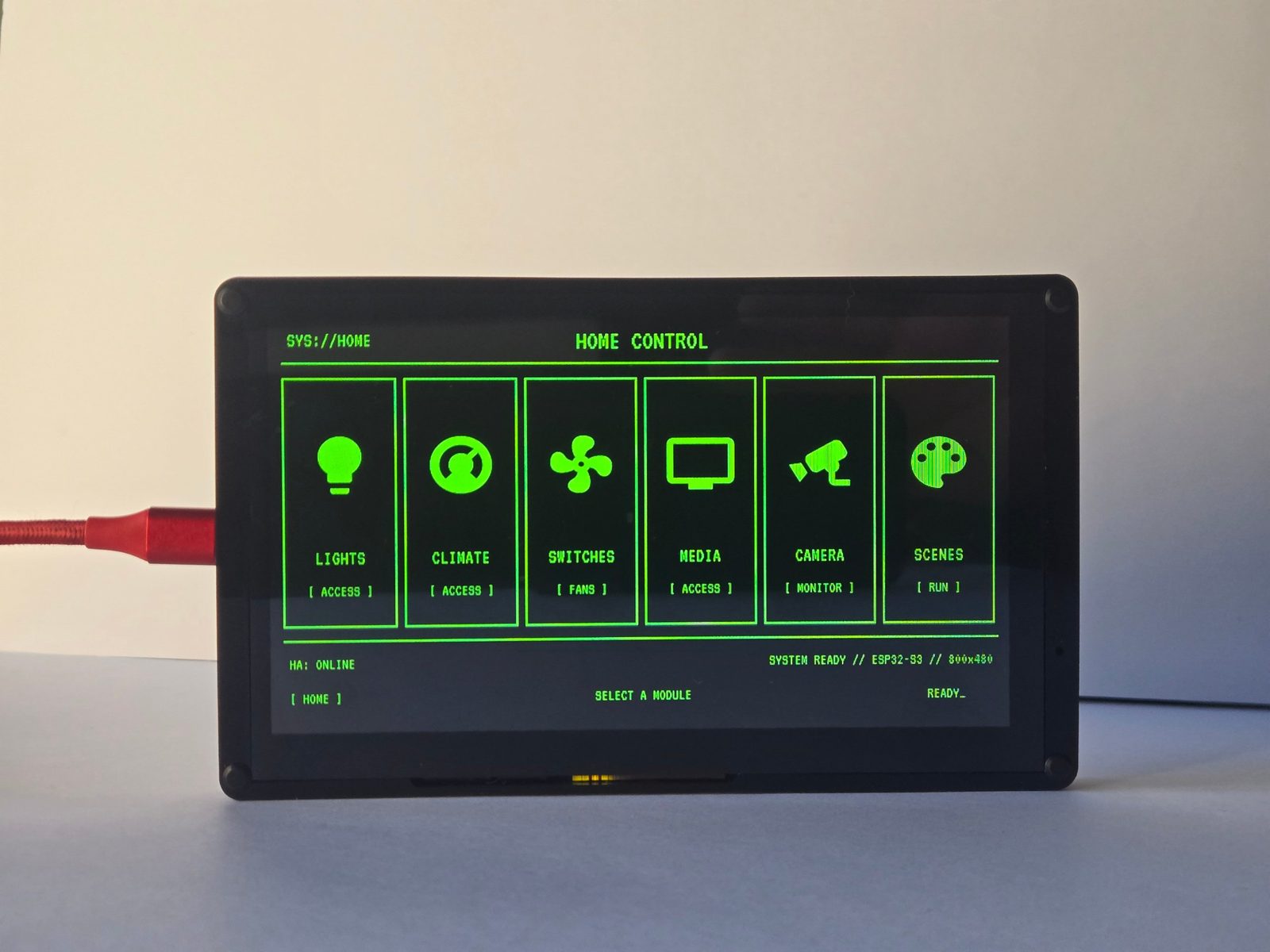
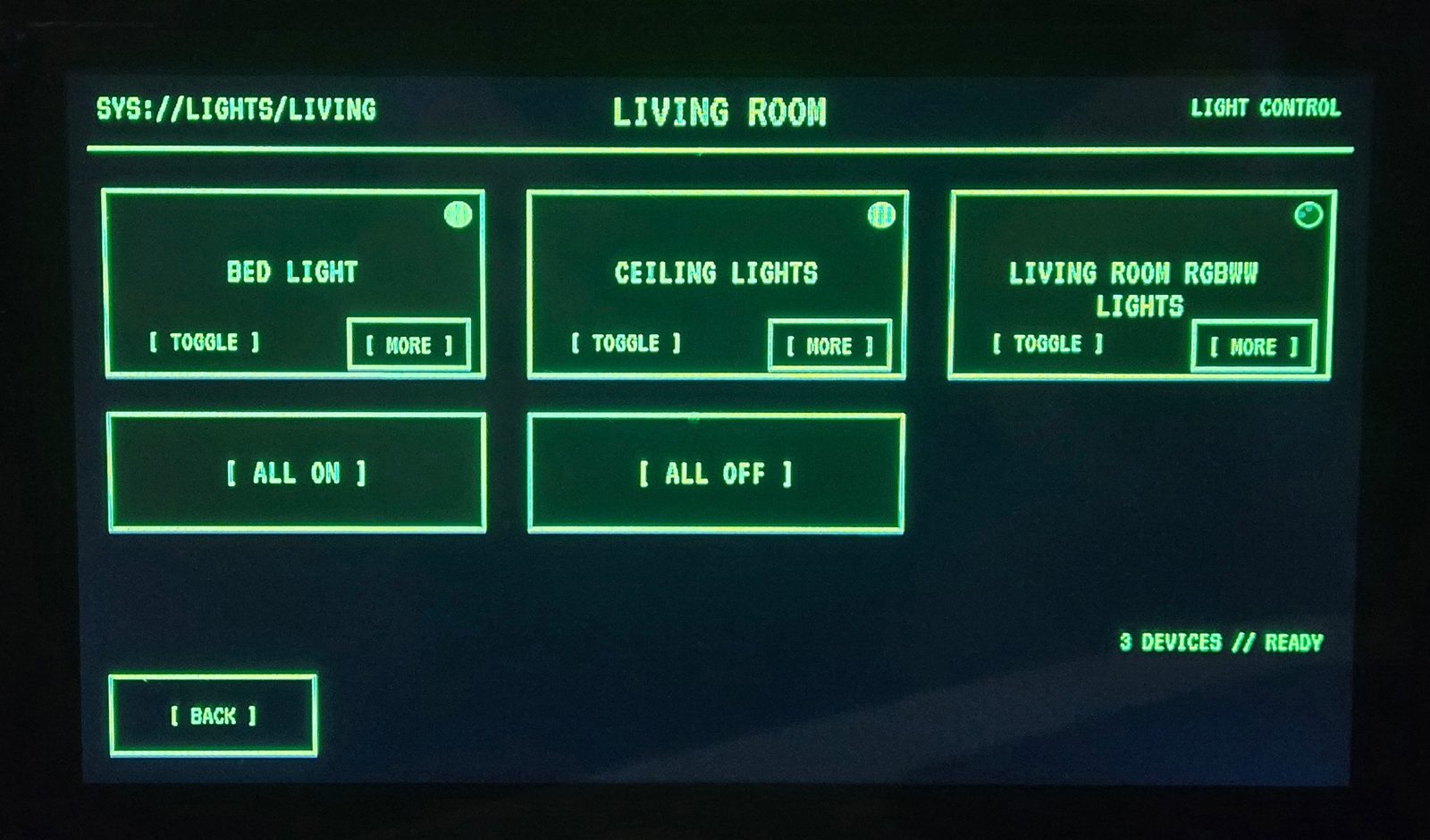
Retro-Terminal Panel v1
Included in the digital download (ZIP plus PDF guide):
- ESPHome panel config
- Home Assistant package
- Setup guide
Compatibility: Made for the CrowPanel Advance 7" display (tested on SKU DIS02170A, hardware V1.5).
14-day guarantee: If the included files don't work on that panel, email me within 14 days of purchase and I will fix it or refund the purchase price. Replies within 2 business days. Doesn't cover custom changes, other hardware, or your own devices and integrations.
Price: $24.00
Check the Etsy listing for any current sale.
Run a Local AI on Your Windows Gaming Computer
A step-by-step PDF guide for NVIDIA graphics cards, written from a real install and tested on Oct 17, 2026.
7-day support: Sold as-is, with 7 days of limited email support. Replies within 2 business days. Past buyers get free updates by email with proof of purchase.
Price: $9.00
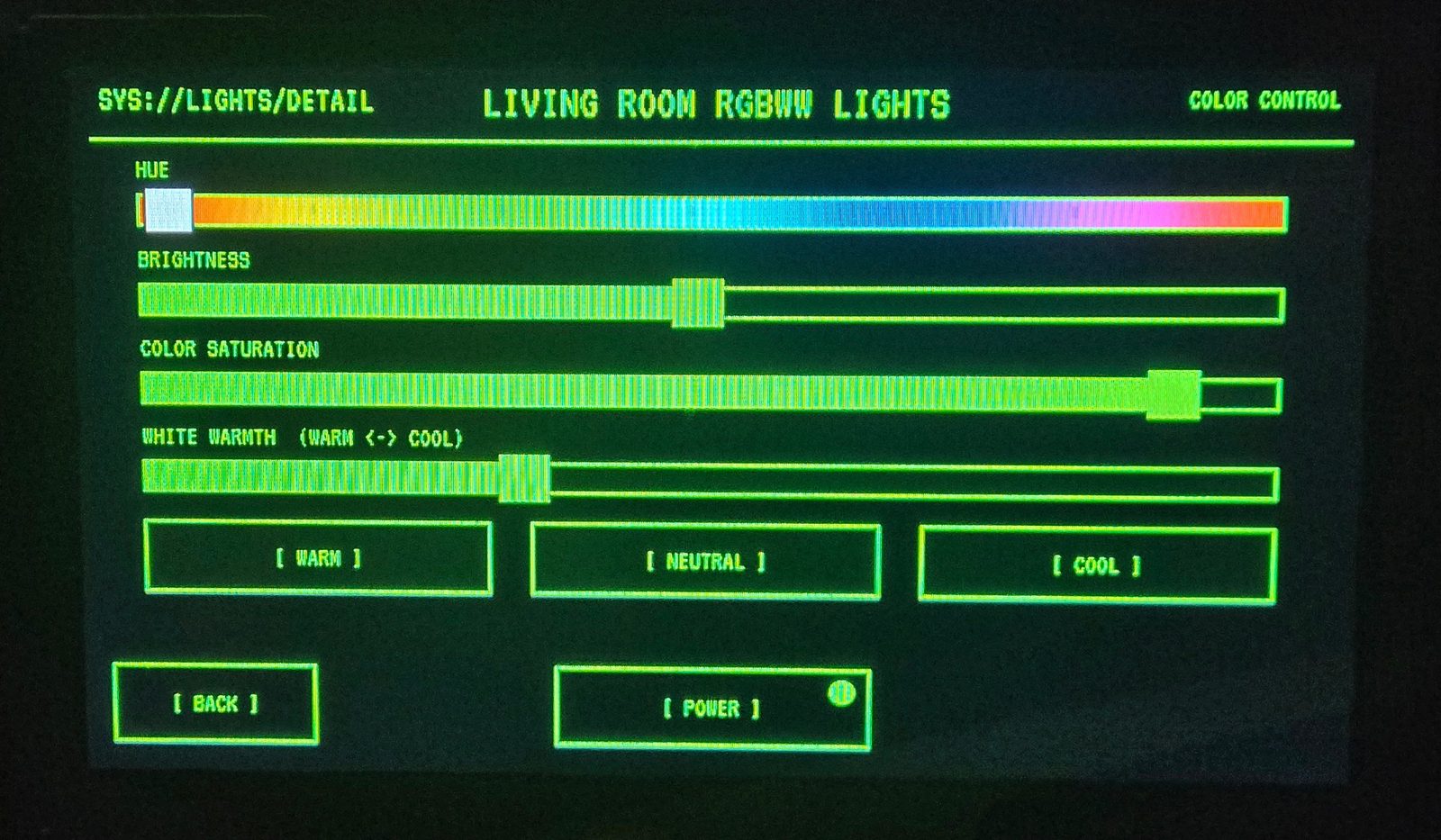
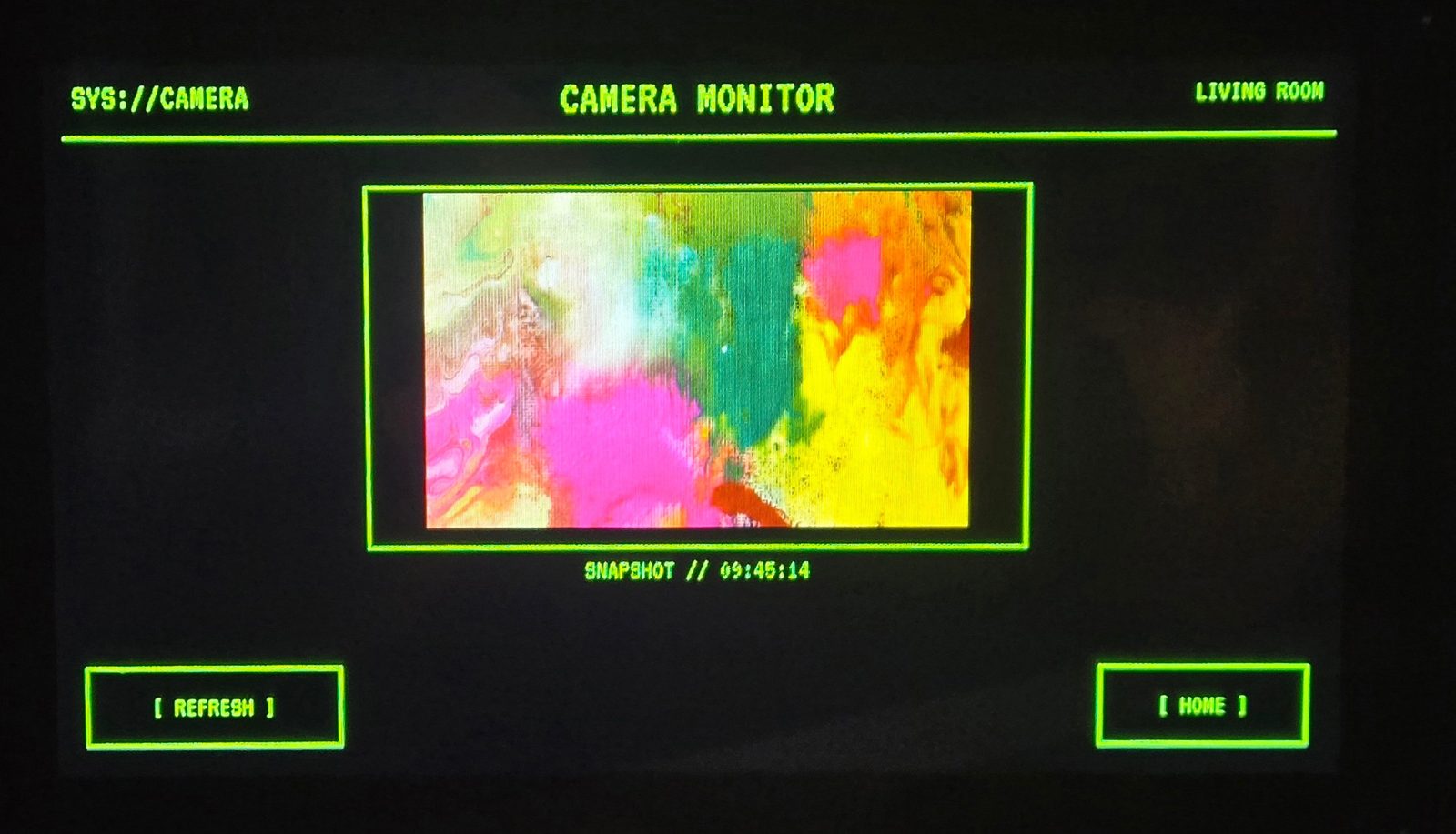
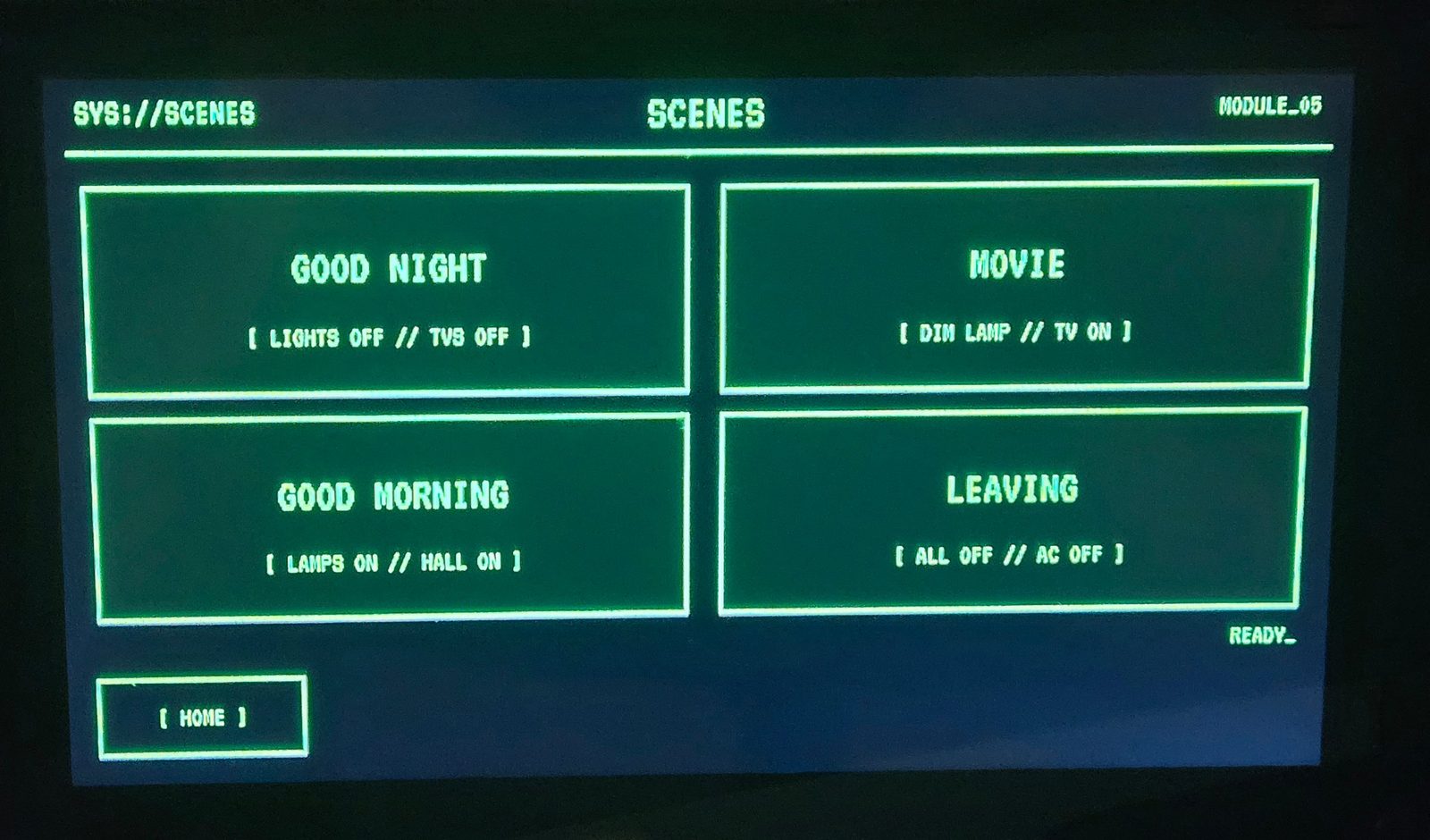
Retro-Terminal Panel screens
Local Hardware Solutions
Ready-to-use Home Assistant boxes (refurbished mini PCs) sold locally in the Wilsonville, OR area.
Plug in, open a browser, done.
Every unit is fully erased, freshly installed with Home Assistant OS, and tested before it is sold.
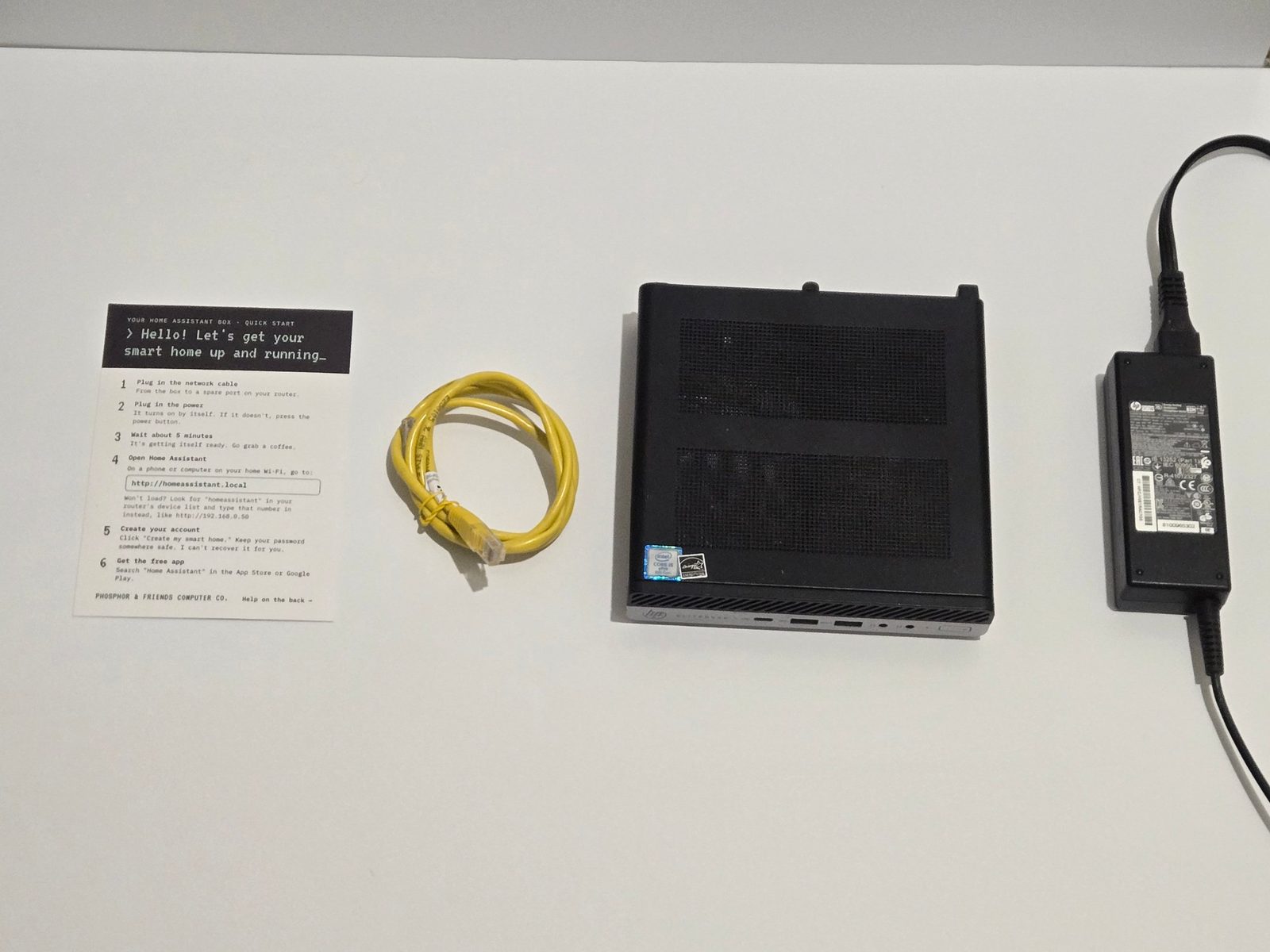
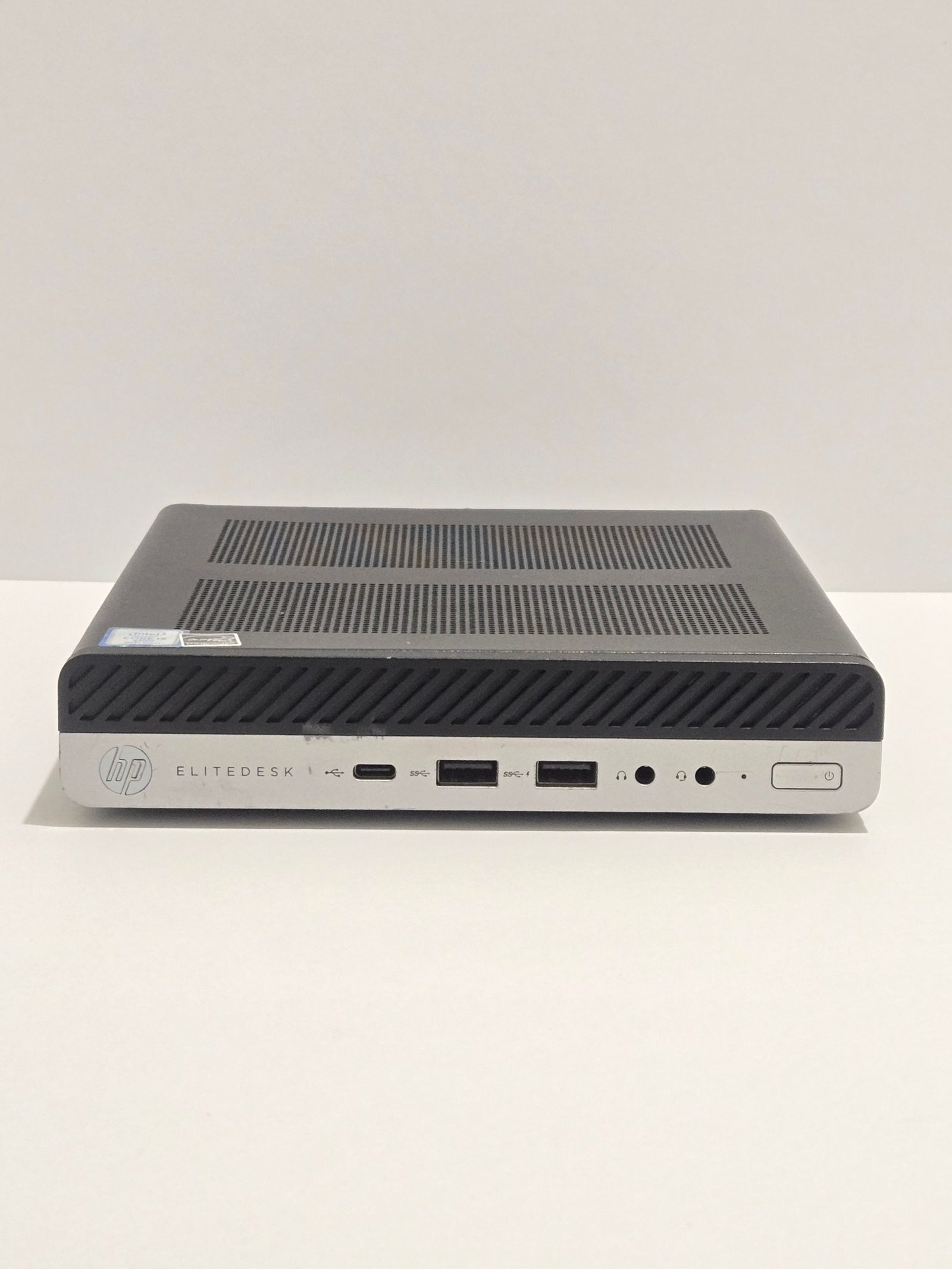
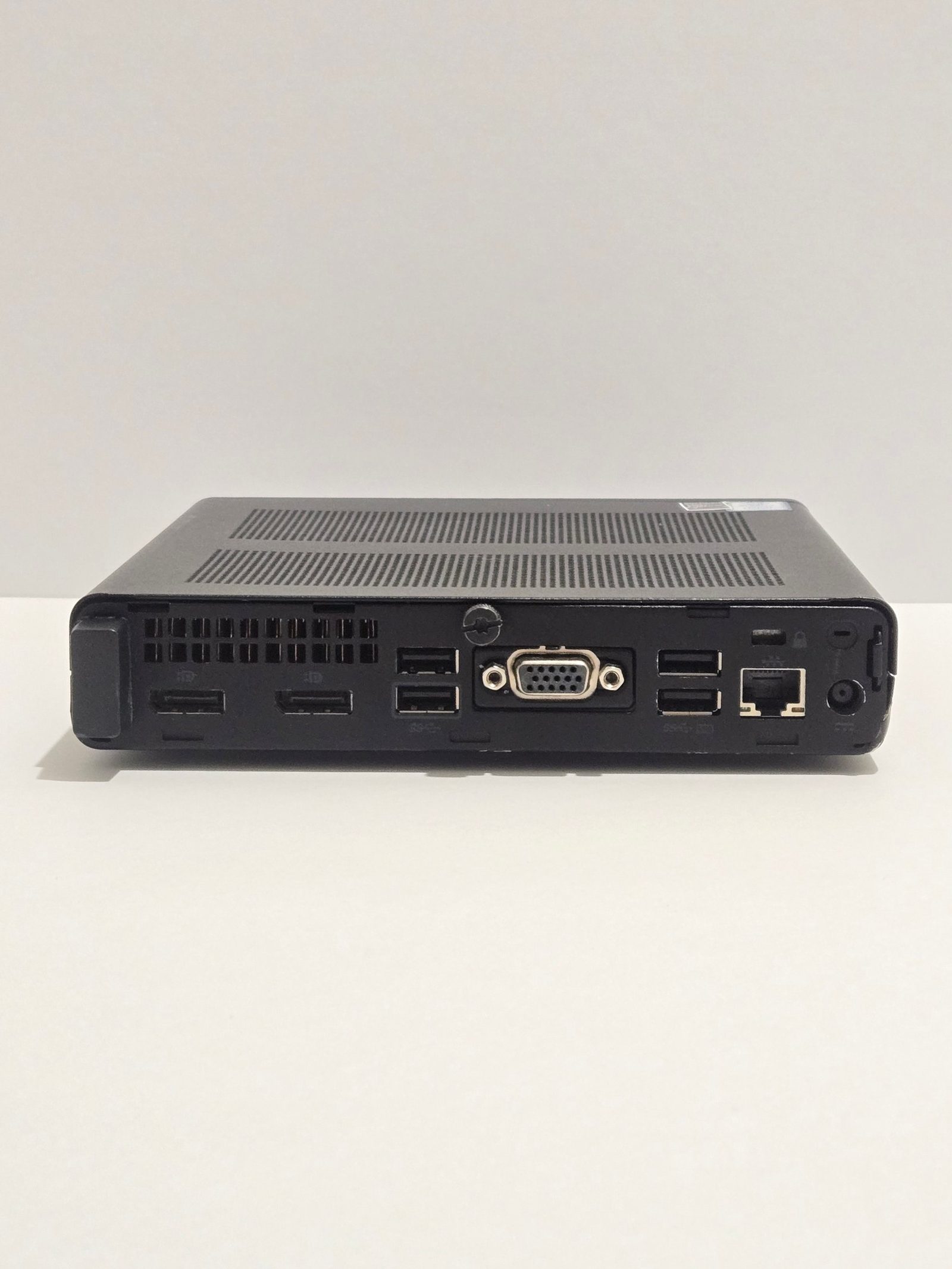
First Unit Available: HP EliteDesk 800 G4 Mini (unit PF-001)
Specs: Intel Core i5-8500, 8 GB RAM, 120 GB SSD
Price: $139
Includes:
- The mini PC
- Power adapter
- Printed quick-start card (network cable, power, wait about 5 minutes, open homeassistant.local, create your account, get the app)
- DisplayPort dummy plug (installed)
- 3-ft ethernet cable
You create your own account on first boot. No shared or default passwords.
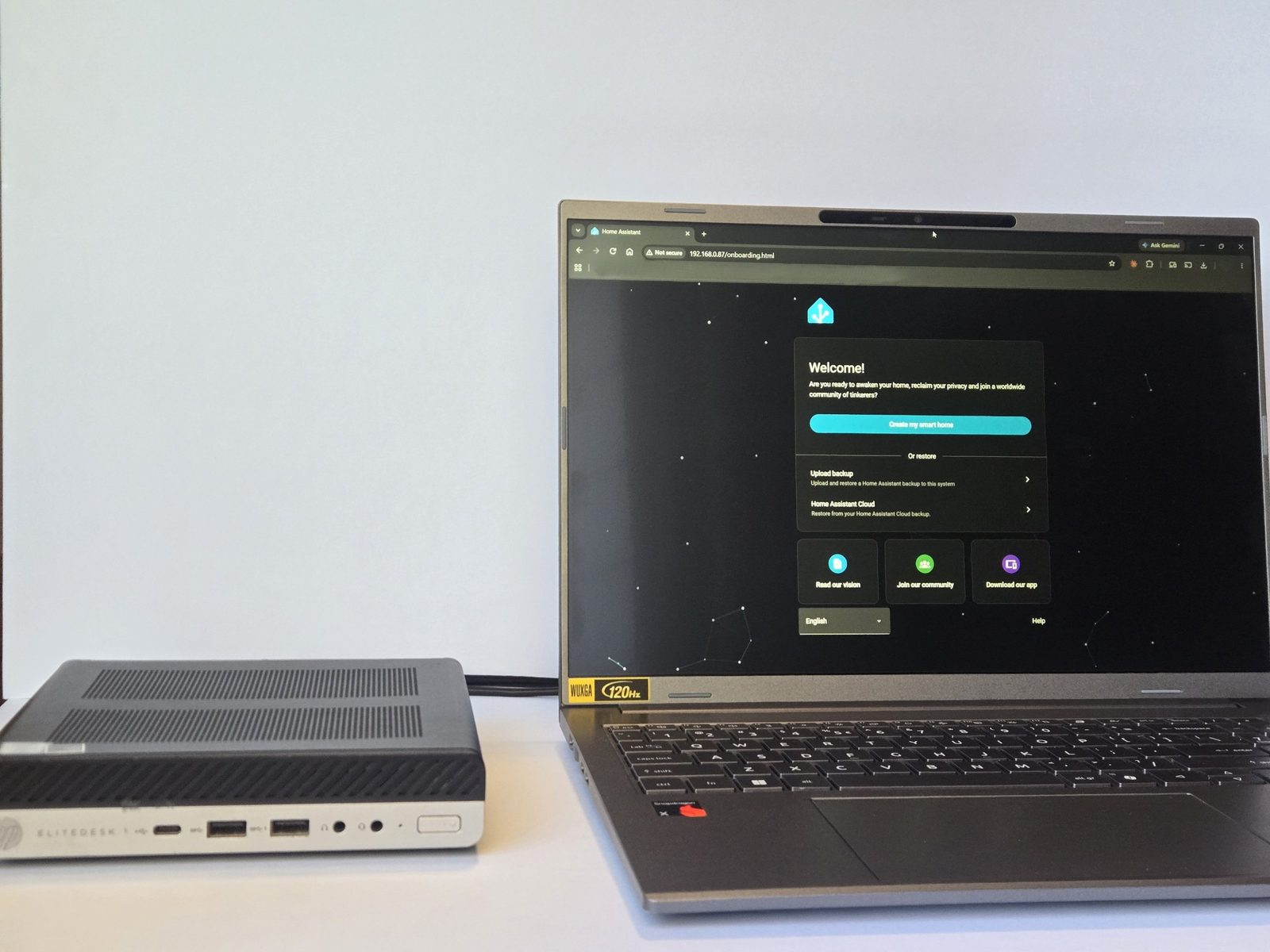
Logistics: Local pickup only for now, at a public meeting place in the Wilsonville area. Shipping is not offered yet.
Coming Soon
3D-printed enclosures and mounts for Home Assistant panels.
Policies & Support
Hardware (Boxes)
Warranty: 30 days from the date you receive it. If the unit fails in normal use, I repair, replace, or refund.
Not covered: Drops, liquid or other physical damage, opened or modified hardware, and your own devices, integrations, add-ons, or cloud services.
Returns: Defects only, no change-of-mind returns. I pay return shipping on defective or not-as-described units.
Support: 14 days of email help getting online.
Digital Products
Returns: No returns on digital downloads.
Retro-Terminal Panel v1: 14-day guarantee. If the included files don't work on a CrowPanel Advance 7" (SKU DIS02170A, hardware V1.5), email me within 14 days of purchase and I will fix it or refund the purchase price. Replies within 2 business days. This does not cover custom changes, other hardware, or your own devices and integrations.
Local AI guide: Sold as-is. 7 days of limited email support, replies within 2 business days. Past buyers get free updates by email with proof of purchase.
Frequently Asked Questions
About Home Assistant
What is Home Assistant?
Home Assistant is free, open-source software that brings your smart-home devices together in one place. It works with thousands of devices and services from many different brands, so you can control and automate them from one app instead of juggling many.
What are the benefits of having my own Home Assistant server?
Your home runs on your own equipment instead of someone else's cloud. That means: more privacy, because your data stays in your home by default; faster, more reliable control of devices that work locally, even when the internet is down; one app for devices from many brands; powerful automations (for example, lights that react to the time of day or whether anyone is home); and no subscription for the software itself. Devices that only work through a cloud service still need the internet.
Do I need to know how to code?
For the Home Assistant box, no. Plug it in, open a browser and follow the quick-start card. For the Retro-Terminal Panel, you follow a step-by-step setup guide: you add the panel's files to your Home Assistant, flash the panel from your computer over a USB cable, and connect it. No programming is needed, but you should be comfortable following careful instructions.
Does Home Assistant need the internet?
You need the internet for first-time setup and for updates. Day to day, devices that work locally keep working without it. Devices that depend on a cloud service need the internet, just as they do without Home Assistant.
What is ESPHome?
ESPHome is free software that turns small, inexpensive circuit boards (like the one inside the CrowPanel display) into devices that talk to Home Assistant. The Retro-Terminal Panel files use it.
The Home Assistant Box
What do I get with the Home Assistant box?
You get a refurbished mini PC that has been fully erased, freshly installed with Home Assistant OS, and tested before it is sold. It comes with a power adapter, a printed quick-start card and a network cable, plus any extras listed for that unit (for example, a DisplayPort dummy plug). The exact model, processor, memory and storage are listed with each unit.
How do I set it up?
Connect the network cable, plug in the power, wait about 5 minutes, open homeassistant.local in a browser, create your account and get the app. The quick-start card walks you through it.
What does "refurbished" mean here?
It is a used mini PC. Every unit is fully erased, freshly installed with Home Assistant OS, and tested before it is sold. No two units are exactly alike, and some may show normal wear (scuffs or scratches on the case) from previous use.
Why a mini PC and not another kind of hardware?
Home Assistant can run on several kinds of hardware. A refurbished business mini PC is a solid, small machine with plenty of power for a typical home, at a fair price, and it arrives wiped, set up and tested.
How is this different from the official Home Assistant Green?
The Green is a good, official, low-power choice, and it's new. My box is a refurbished mini PC with more memory (8 GB versus 4 GB) and more storage (a 120 GB SSD versus 32 GB) at a lower price, and it arrives set up and tested. The trade-offs are that it's used and draws more power than the Green.
Is it private and secure?
You create your own account and password the first time you start it. There are no shared or default passwords. Your Home Assistant box is only as secure as the network you connect it to, so keep your router and Wi-Fi passwords strong.
Where can I get a box, and can it be shipped?
Boxes are sold locally in the Wilsonville, Oregon area, with pickup at a public meeting place. Shipping is not offered yet.
What if something goes wrong with my box?
Every box has a 30-day warranty from the date you receive it. If the unit fails in normal use, I repair, replace or refund. It also includes 14 days of email help getting online. Drops, liquid or other physical damage, opened or modified hardware, and your own devices, integrations, add-ons and cloud services are not covered.
The Retro-Terminal Panel Digital Product
Why not just buy a control panel that is ready to go?
A ready-made panel is a good choice if you want something that works with no tinkering, and many people are happy with one. The Retro-Terminal Panel digital product is for people who want a particular retro look, a panel built around their own Home Assistant devices, and full control of the files, at a low price. You follow a guide, and the result is yours to change.
Does the Retro-Terminal Panel include the screen?
No. It is a digital download (a ZIP plus a PDF guide) with an ESPHome panel config, a Home Assistant package and a setup guide. You need your own CrowPanel Advance 7" display. The files were tested on SKU DIS02170A, hardware V1.5.
What if the files don't work for me?
If the files don't work on that panel, email me within 14 days of purchase and I will fix it or refund the purchase price. I reply within 2 business days. This doesn't cover custom changes, other hardware, or your own devices and integrations. Digital downloads can't be returned.
What do I need to set up the Retro-Terminal Panel?
A CrowPanel Advance 7" display, a USB-C cable that carries data (not a charge-only cable), a computer, a working Home Assistant (for example, the Home Assistant box), and a 2.4 GHz Wi-Fi network. The panel does not connect to 5 GHz Wi-Fi.
Will it work with my devices?
The panel talks to Home Assistant, so what it can control depends on the devices you have set up there. The guide shows you how to connect it to your own setup.
The Local AI Guide
What is the "Run a Local AI on Your Windows Gaming Computer" guide?
It is a step-by-step PDF for running a free, private AI model on your own Windows 11 computer with an NVIDIA graphics card, written from a real install and tested on Oct 17, 2026. It is sold as-is, with 7 days of limited email support. Past buyers get free updates by email with proof of purchase.
About the Business
Who is behind Phosphor & Friends Computer Co.?
It is a one-person business in Wilsonville, Oregon, run by Erik and licensed with the City of Wilsonville.
Are 3D-printed enclosures coming?
Yes, 3D-printed enclosures and mounts for Home Assistant panels are planned. They are not for sale yet.
How do I contact you?
Email phosphorandfriends@gmail.com or call 503-662-2411.
Contact
Email: phosphorandfriends@gmail.com
Phone: 503-662-2411
Etsy shop: PhosphorAndFriendsCo